
You have to add a <space> after "KPH:". So "KPH: ".
Curse you Wayland!!!
Since Wayland is taking over Xorg in Linux. A bunch of un-secure app features are no longer working (tongue-in-cheek). Such as KeePassXC Auto-Type.
What you need:
- KeepassXC
- KeePassXC Browser Extension
- KeePassXC Settings: Enable Browser Integration
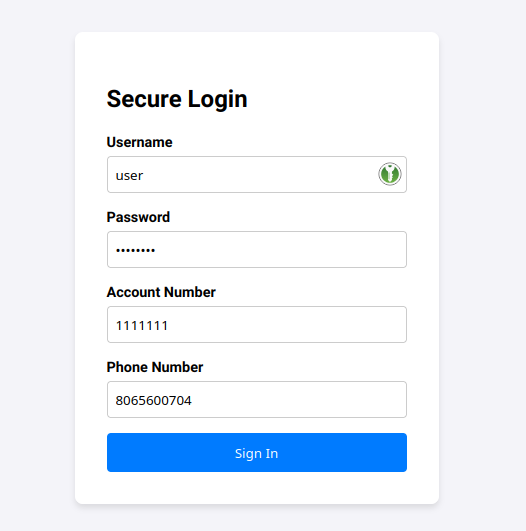
Our Test Subject:
Adding an Attr:
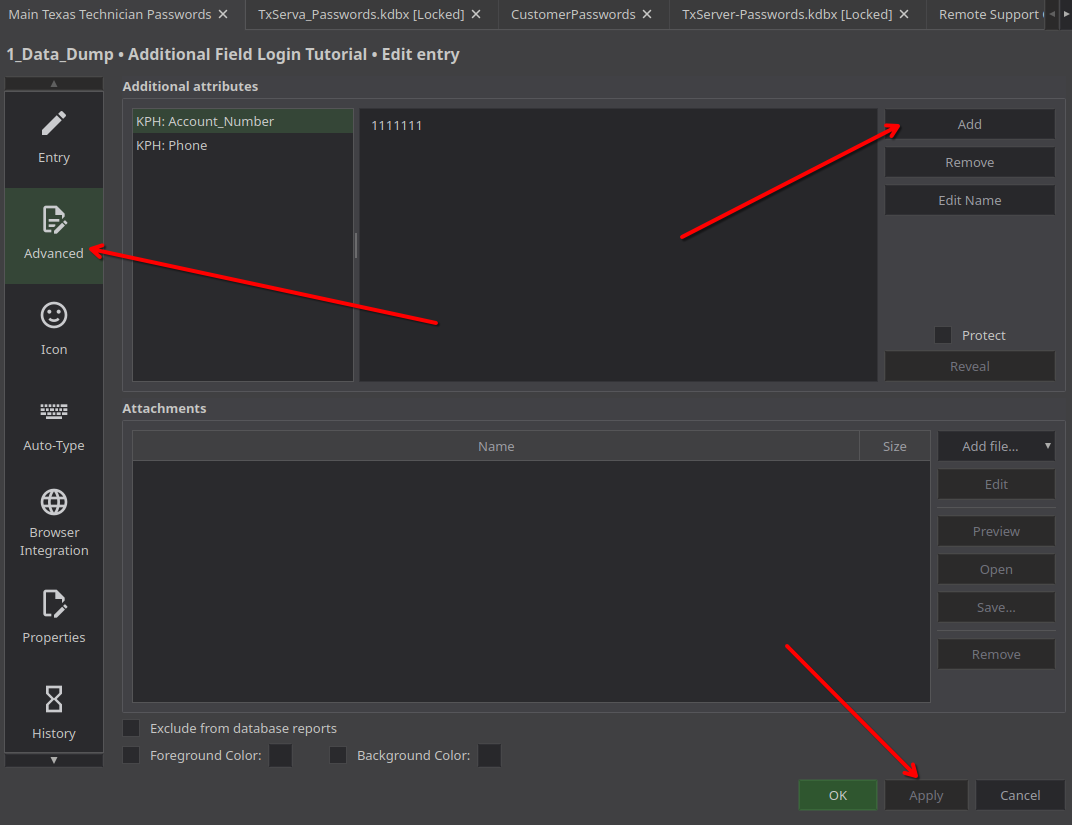
Open an entry and click "Advanced" then add a field.
For the "Browser Autofill" to work. The field data must start with "KPH: <space>".
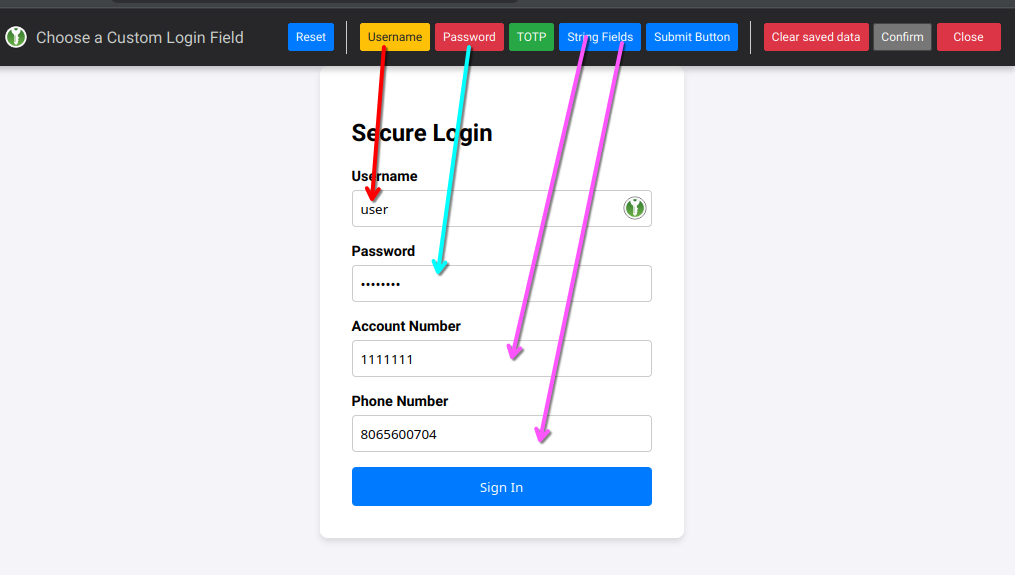
Remember that the browser autofill for these additional attr. goes in alphabetical order.
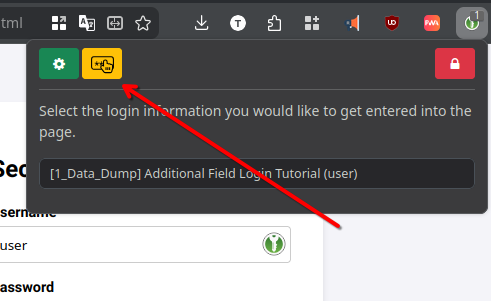
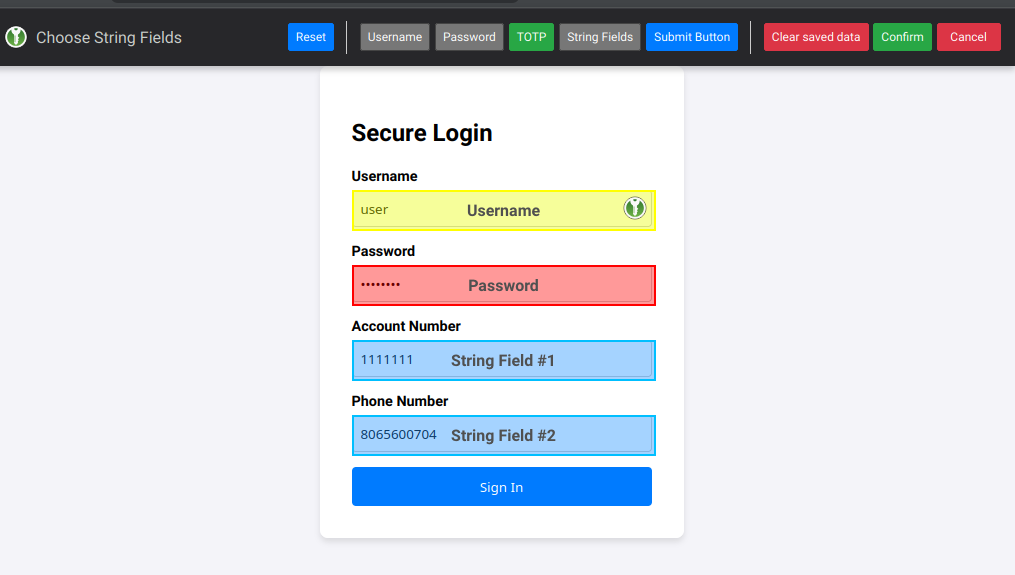
Tell the Extension to use the new fields:
Official Docs: https://keepassxc.org/docs/KeePassXC_UserGuide#_additional_fill_in_fields