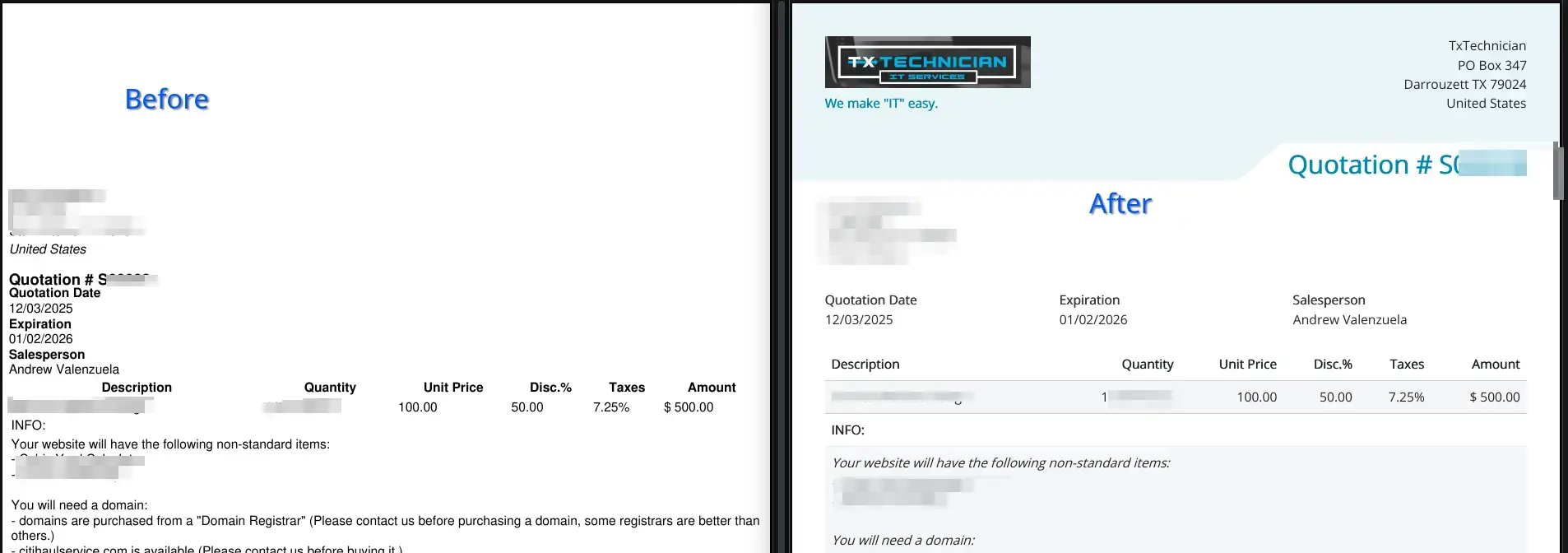
This happens in Docker & Podman installs.
I forget about this silly problem each time I install Odoo.
Printing in Odoo uses wkhtmltopdf to generate PDFs.
wkhtmltopdf uses a website URL to create these PDFs. And since Odoo is in a container the website: www.mywebsite.com/thing-I-want-to-print cannot be accessed by wkhtmltopdf.
Because containers cannot access the WWW in most cases.
To resolve this problem we just need to point our report generation URL to our local host by adding a "System Parameter".
Resolution Steps:
- Activate Developer Mode
- Honorable mention for this lovely addon: Odoo Debug Addon (also available on chrome)
- Go to "Settings"
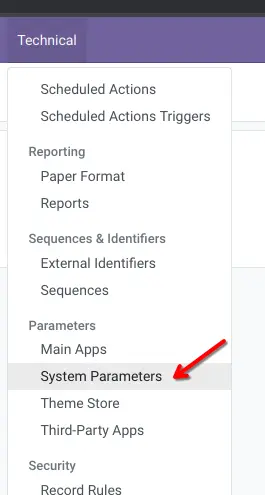
- Click on "Technical > System Parameters":
- Add a new parameter (search for it first, it may already be present)
report.url Make the value:http://0.0.0.0:8069 (8069 is the default odoo web port, if you used something else in your config, use that port instead).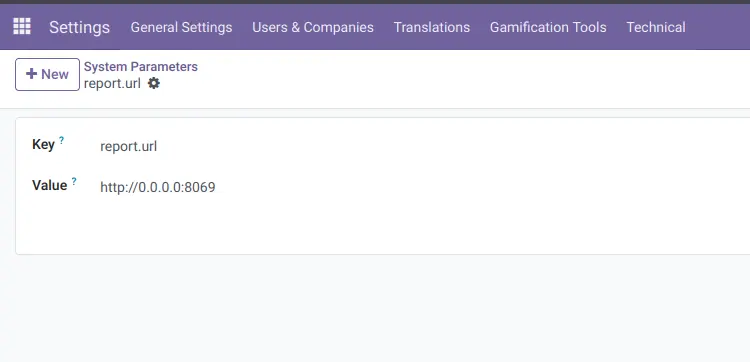
Enjoy Printing: